From manuscript to store-ready ebook.
SK eBook Studio is a free desktop app that turns your Word manuscript into polished EPUB 3 files for Kindle, Apple Books, Kobo and Nook. Your book never leaves your computer.
Free for personal and professional use. Mac (Apple Silicon), Windows and Linux.
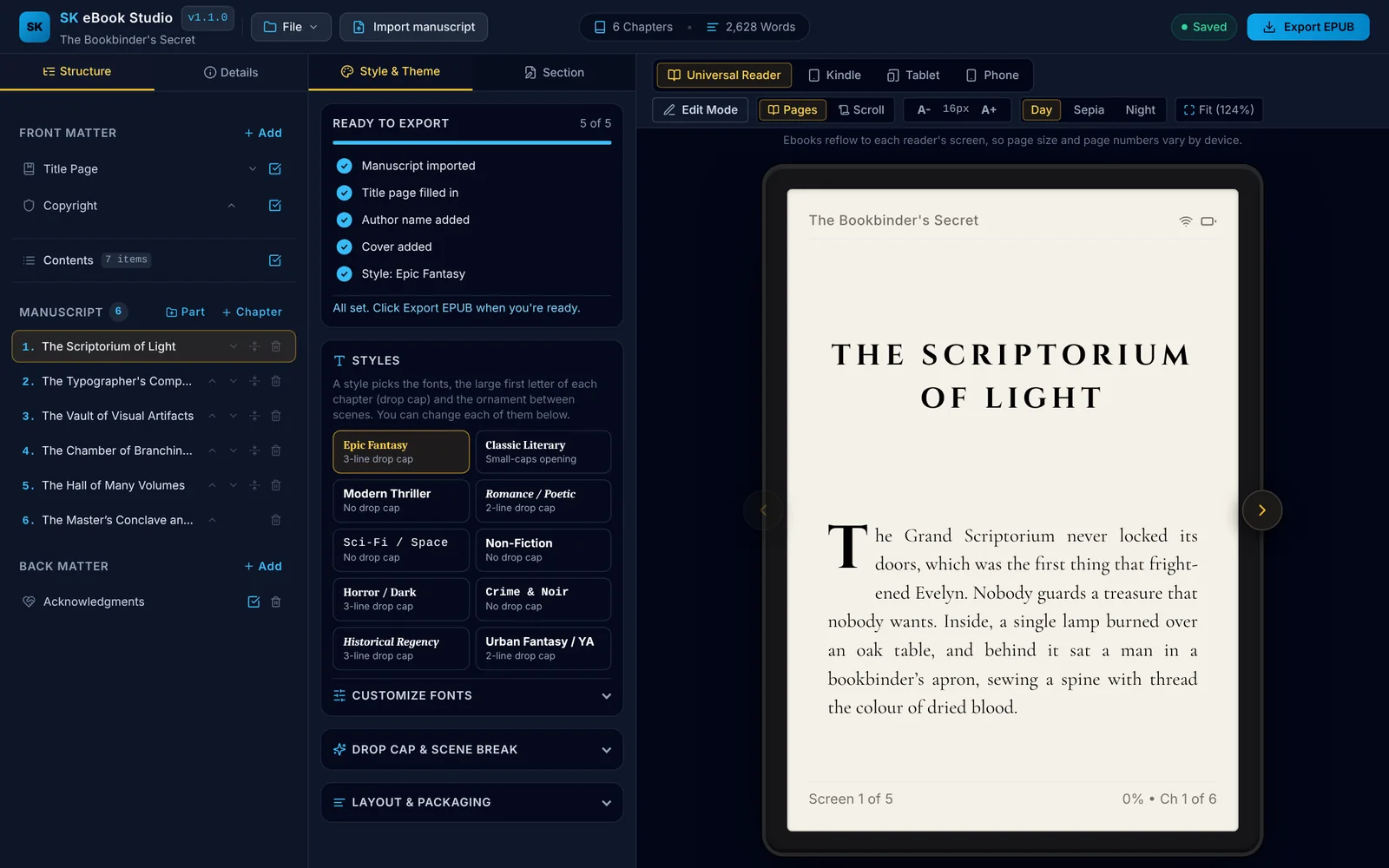
What it does
Bring in your manuscript, pick a look, check the result, export. SK does the formatting work and leaves the writing to you.
Bring in what you have
Import Word, RTF, OpenDocument, HTML, text or Markdown. SK finds the chapters, sorts out the copyright and acknowledgments pages, and shows you the result before anything changes.
Ten finished styles
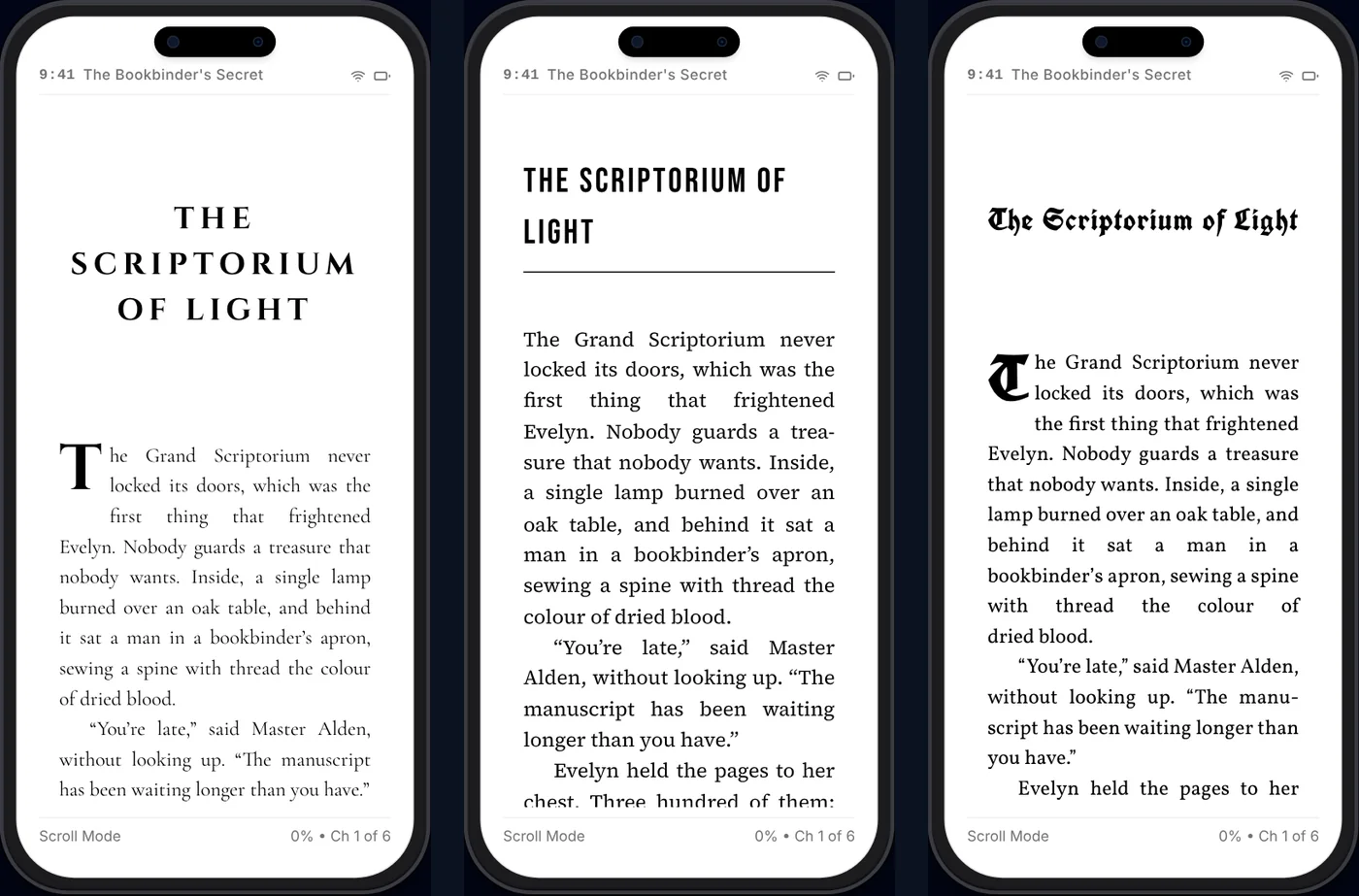
Epic Fantasy, Classic Literary, Thriller, Romance, Sci-Fi, Non-Fiction and more. Adjust fonts, drop caps, chapter openings and ornaments, or save your own style.
Made for each store
One click builds the right file for Kindle, Apple Books, Kobo, Nook or a universal EPUB, with store-specific links and fonts, or all five at once.
Box sets
Combine several books into one set, each with its own title page, copyright and contents, plus a set-level front page and contents.
Story blocks
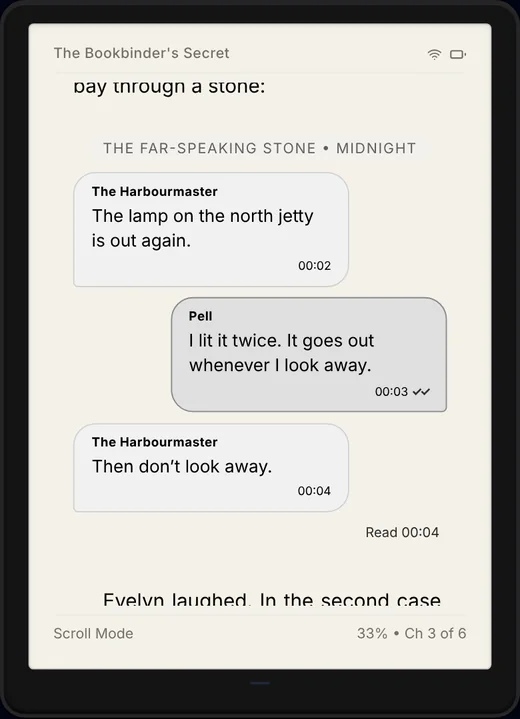
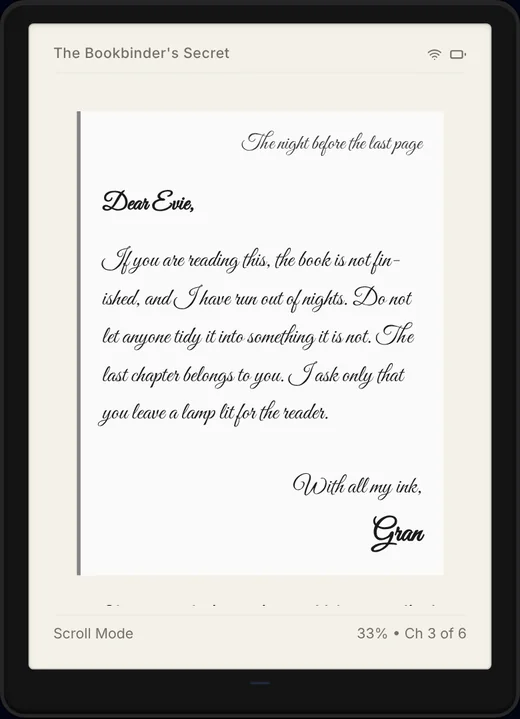
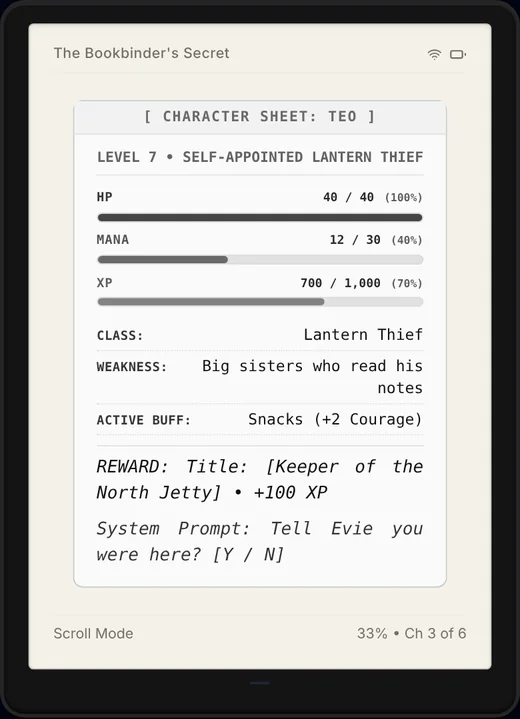
Text-message chats, letters, poetry, LitRPG stat screens, choose-your-path branches, images and footnotes, built to render properly on e-readers.
Checks before you upload
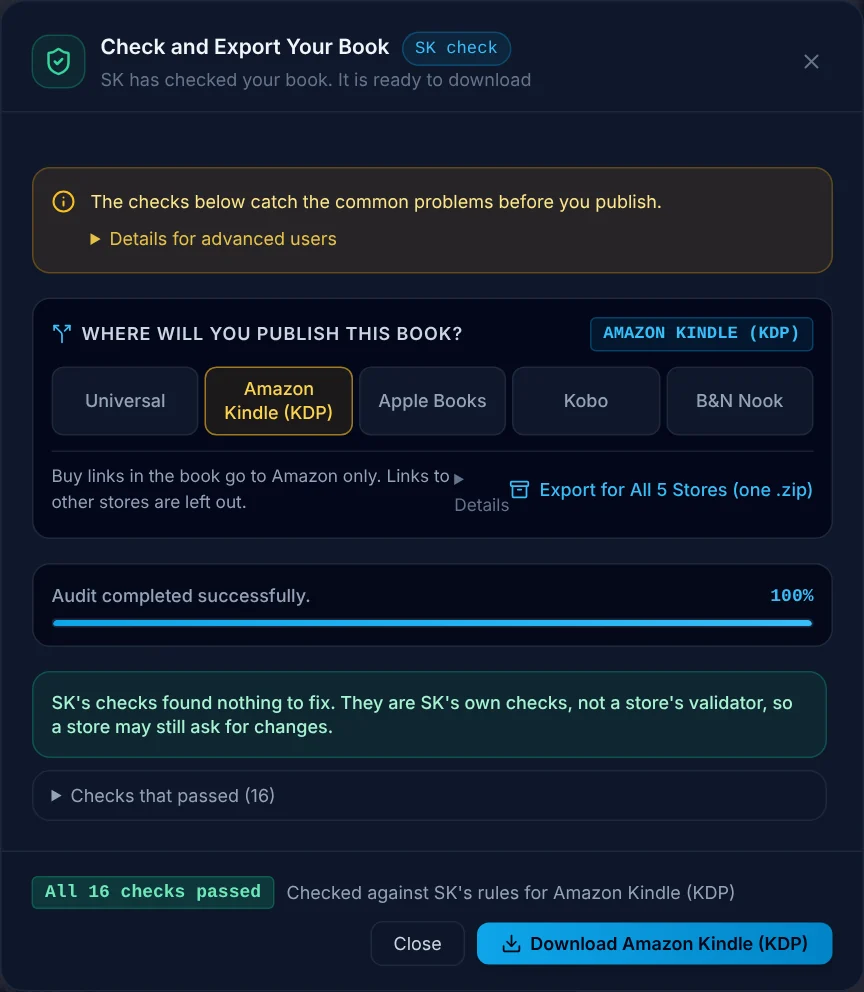
A built-in check flags problems and store size limits before you upload, so you can fix them first. It is SK's own check, not a store's validator.
Review copies
Make an advance review copy with a notice page and the reader's name at the end of each chapter, or a free sample, without touching your master file.
Fully offline
No account, no sign-in, no cloud. The app never connects to the internet, and your manuscript stays on your computer.
Safe saving
Your work is saved as you go, with earlier versions you can restore if something goes wrong.
Exports for
See it in action
These are screenshots of the app itself, using its built-in sample book.
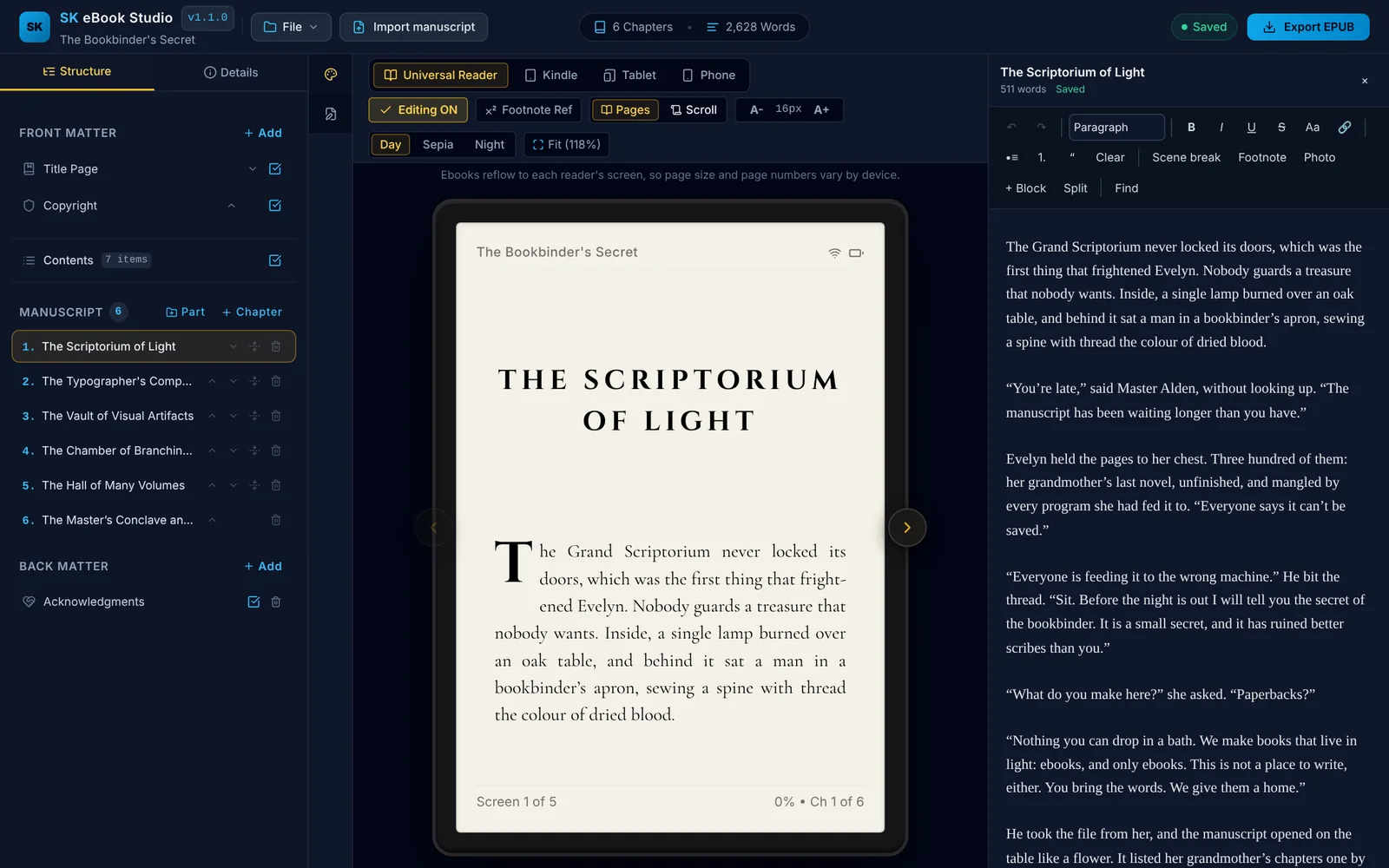
Fix things as you see them
Turn on Edit Mode to correct text in a panel beside the preview, and watch the page update as you type. Add scene breaks, footnotes, photos and story blocks, and search and replace across every chapter.
Story blocks that work on e-readers
Shown here in the Kindle preview: a text-message chat, a handwritten letter and a LitRPG character sheet.
Check, then export
Choose where you will publish and SK checks the book for that store, then builds the file. Fix what it flags, read what it advises, and download.
Download
Free, with every feature included. Pick your system.
Mac
Apple Silicon (M1 or later).
Download for Mac (.zip) SHA-256: 8d79dc86b3932980cd9f5aa1dd309ee8decba0dca6f94bda93594ea4c31b4a90Windows
Windows 10 and 11, 64-bit.
Download for Windows (.zip) SHA-256: 55a14de1b372218f5230717ea42257f7c84bb2873e8919a8785e204fb3b8e406Linux
64-bit.
Download for Linux (.zip) SHA-256: 11c8111cf4e97868d8b98b37f8d8655f47c5b038fded7169e4359711b4a9dc9bEach download is a zip file. Inside are the installer, a README with these same steps, the sample book as an EPUB, and the licence files. The app is not code-signed, so your computer will warn you the first time you open it. The steps below show what to click.
Installing
The warnings are expected for apps from independent developers. You can compare the file's SHA-256 above with your download to confirm it arrived intact.
On a Mac
- Unzip the download, open the .dmg inside and drag SK eBook Studio into Applications.
- Open the app from Applications. macOS will say it can't verify the app. Click Done (or OK).
- Open System Settings → Privacy & Security and scroll down to the Security section.
- Next to the message about SK eBook Studio, click Open Anyway, enter your password, then click Open.
You only need to do this once. On older versions of macOS, right-clicking the app and choosing Open also works.
On Windows
- Unzip the download and run the installer inside.
- If a blue "Windows protected your PC" window appears, click More info.
- Click Run anyway.
On Linux
- Unzip the download. For an AppImage, make the file executable: right-click, Properties, allow executing, or run
chmod +xon it. - Double-click to run.
See the result first
The Bookbinder's Secret is a short story that doubles as the manual for SK. It was written entirely by artificial intelligence as a demonstration. Read it on your own Kindle or reading app to see what SK's output looks like, and open it in the app with Load Sample to follow along.
Download the EPUBQuestions
Is it really free?
Yes. Every feature is included, for personal and professional use, including books you sell. There is no account, trial or locked feature.
Does it send my book anywhere?
No. SK works fully offline and never connects to the internet. Your manuscript, covers and settings stay on your computer.
Is there support?
No. SK is provided as-is with no technical support, so please keep your own backups of your manuscript files. The sample book and the built-in checks are the best places to look first.
Does it write or edit my book?
No. SK is a formatter, not a writing tool. Edit Mode is for fixing and tidying text, not for drafting a book. SK handles structure, styling, checks and export.
Does it make covers?
No. Bring finished cover artwork. SK places it correctly for each store.
Will it always be free?
This version is. Future versions or additional features may be released under different terms.